Migrating OVOC Virtual Machines in a VMware Cluster
This section describes how to migrate your OVOC Virtual machine from one ESXi host to another.
| ➢ | To migrate your OVOC virtual machine: |
| 1. | Select the OVOC virtual machine that you wish to migrate and then choose the Migrate option. |
Migration

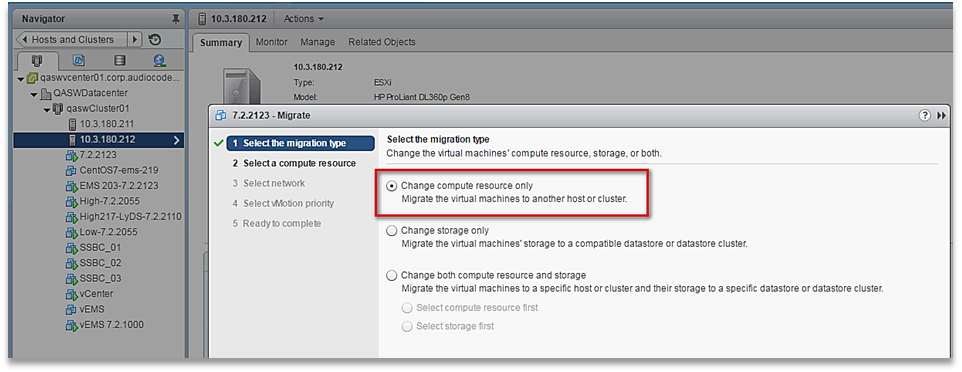
| 2. | Change a cluster host for migration. |
Change Host
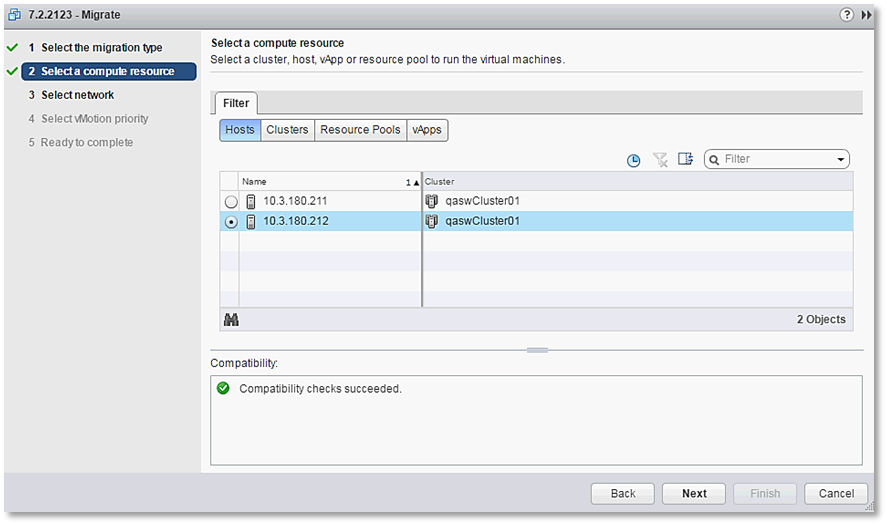
| 3. | Choose the target host for migration. |
Target Host for Migration
The migration process commences.
Migration Process Started
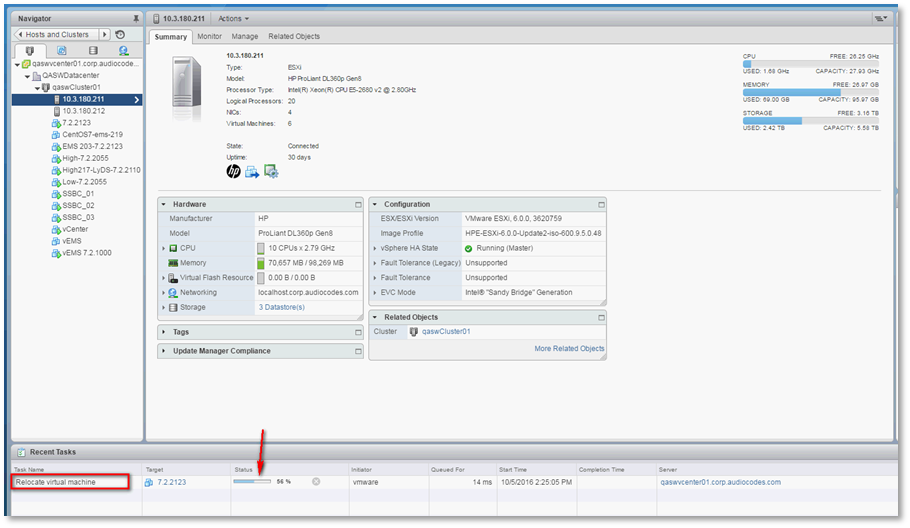
After the migration has completed, the OVOC application will run seamlessly on the VM on the new cluster’s host.